
Work thoughts, personal thoughts — why they shouldn't share a journal
Mixing work stress with personal reflection blurs both. How notebooks in Daykept help you keep each kind of thinking in its own space.
There is a specific kind of frustration that comes from scrolling back through your journal looking for a personal insight — and finding nothing but work notes. Meeting recaps, project blockers, things-to-follow-up-on. Useful at the time, but now they bury everything else.
This is not a journaling problem. It is an organization problem. And the fix is simple: keep work thoughts and personal thoughts in separate notebooks.
Why mixing them creates noise
Work thinking and personal thinking are different cognitive modes. Work entries tend to be task-oriented, time-sensitive, and external — about other people, projects, deadlines. Personal entries are internal — how you feel, what you want, what you are figuring out.
When both live in the same space, neither gets full attention. You start an honest personal reflection and your eye catches the work entry from yesterday. The context switch happens before you have written a single word.
Separate notebooks eliminate this. Each notebook is its own context. You open Work and you are in work mode. You open Personal and you are somewhere else entirely.
The three-notebook starting point
Most people do not need more than three notebooks to begin with:
- Personal — daily check-ins, feelings, goals, anything about your inner life
- Work — meeting notes, project reflections, work frustrations, wins
- Health — exercise logs, sleep notes, energy patterns, anything body-related
Three is enough to separate your thinking without creating a filing system you need to maintain. Add a fourth or fifth only when you find yourself consistently wishing one notebook existed.
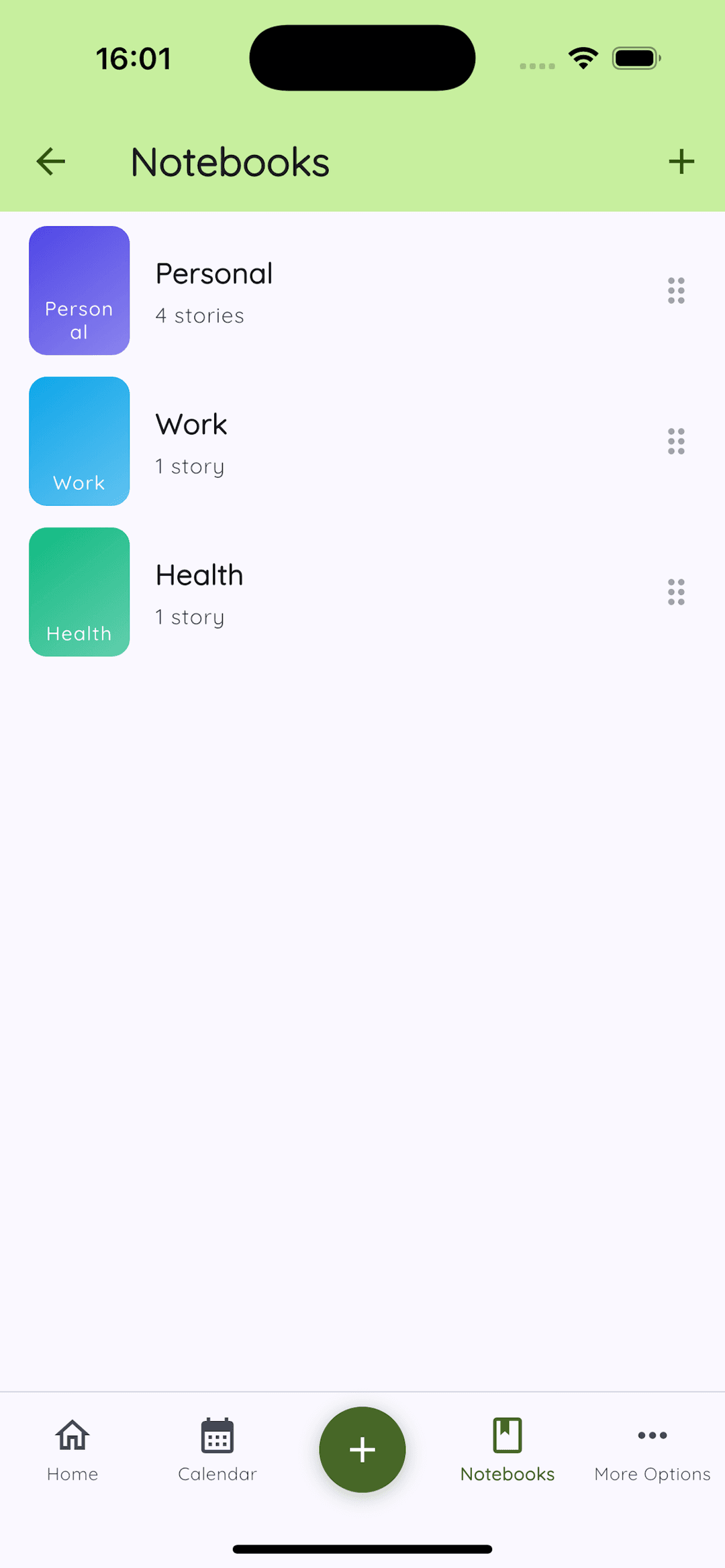
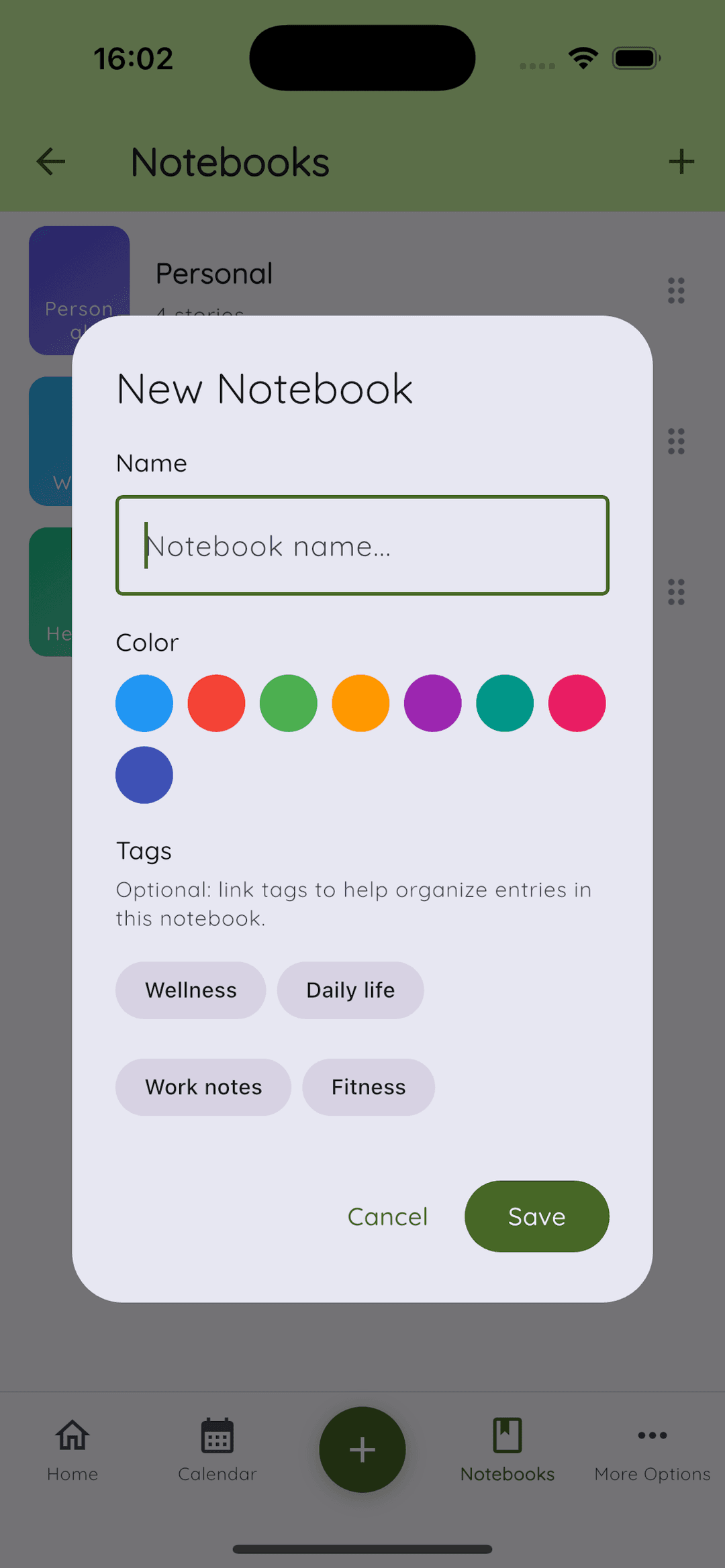
Creating a notebook in Daykept
Tap the Notebooks icon in the bottom navigation, then tap + in the top right. Give the notebook a name, choose a color to make it visually distinct, and optionally attach tags you already use.
Color-coding matters more than it sounds. When you open a notebook and the background cue is different, your brain gets a small but real signal that the mode has changed. Purple for Personal, blue for Work, green for Health is one approach — but pick what feels natural to you.
Assigning entries to notebooks
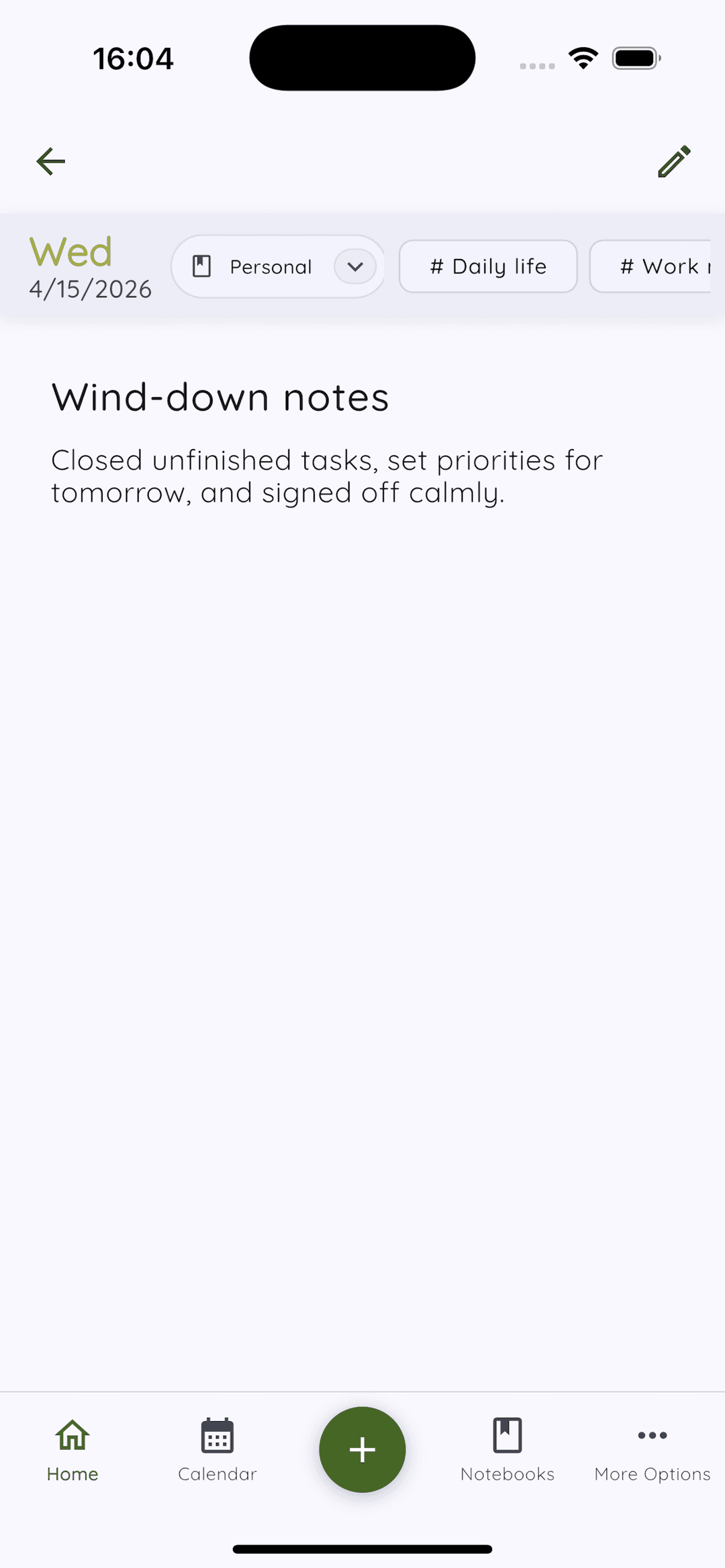
When writing a new entry, tap the notebook selector below the date (it defaults to your general notebook). Change it before you write, not after — choosing the notebook first sets the context for the entry you are about to write.
You can also reassign an existing entry at any time from the entry detail view. So if you wrote something personal in the wrong notebook, it takes three taps to move it.
The habit that makes it stick
The only way notebooks stay useful is if you pick the right one before you start writing. It adds two seconds to each entry. In return, every scroll through your journal becomes useful: Personal shows you what you were feeling, Work shows you what you were doing, Health shows you how your body was tracking.
No mixing. No noise. Just the right kind of thinking in the right place.
Once your notebooks are set up, adding tags within them gives you even finer control. Read how tagging your entries reveals patterns across weeks, or see the full 3-notebook, 5-tag system that brings both together.