
How to organize your journal with tags and notebooks
A journal that's easy to find your way around is one you'll keep using. A simple system of three notebooks and five tags, and how to set it up in Daykept.
After a few weeks of daily journaling, you run into a familiar problem: everything is in one long list. You want the entry from two weeks ago about a work project, but it is buried between a note about dinner and a half-finished thought about sleep.
The usual reaction is to build an elaborate filing system and then abandon it, because organizing became a second job. What works is much smaller: three notebooks and five tags, set up once, maintained in two seconds per entry.
The principle: notebooks for places, tags for topics
Notebooks answer where does this belong? They split your life into separate contexts, so entries never pile into one undifferentiated mass.
Tags answer what is this about? They cut across notebooks. An entry about sleep can live in your Personal notebook and still show up when you filter by a Wellness tag.
Two independent ways to find anything, with almost no overhead.
The 3 notebooks
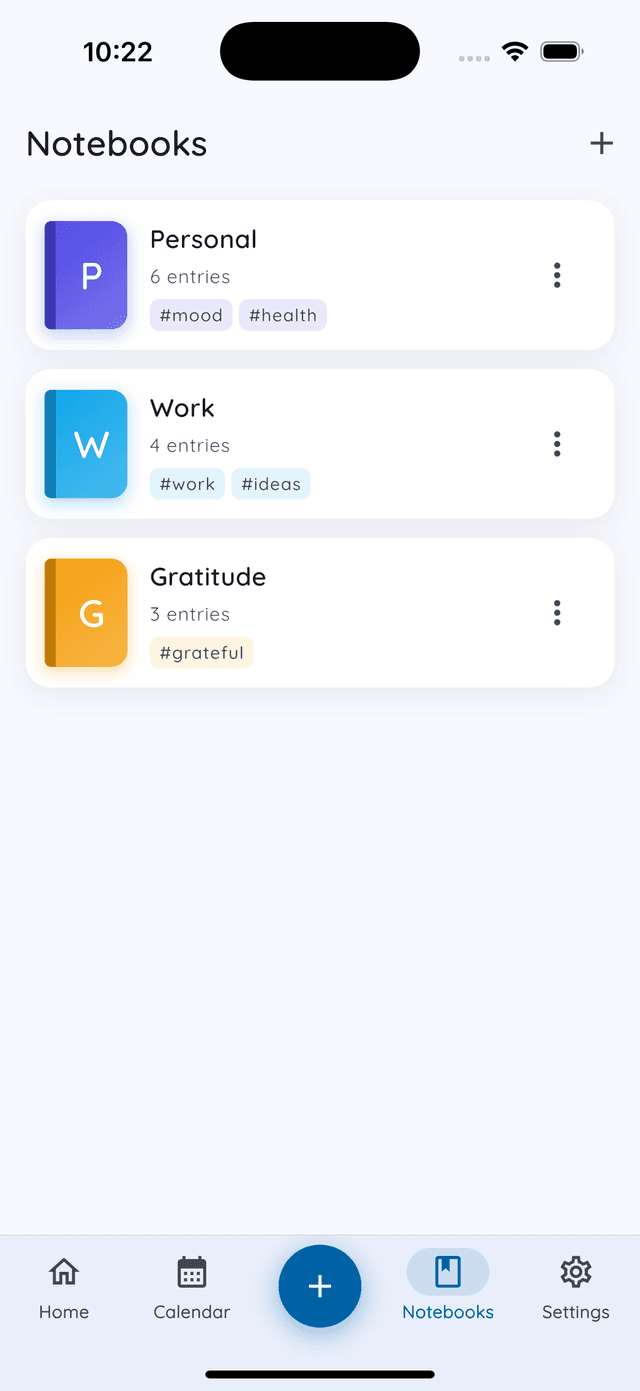
- Personal: the main notebook. Daily check-ins, feelings, goals, anything about your inner life.
- Work: reflections about work: what went well, what was frustrating, what you are learning. Not a to-do list.
- Health: movement, sleep, energy, anything body-related. Keeping it separate makes physical patterns easier to spot.
More notebooks means more decisions about where each entry goes, and more friction means fewer entries written. Add a fourth only when you keep wishing it existed.
Why work and personal should live apart
Work entries tend to be task-oriented and about other people: meetings, deadlines, blockers. Personal entries are internal: how you feel, what you want. When both live in one list, you start an honest reflection and your eye catches yesterday's project note. The context switch happens before you have written a word. Separate notebooks mean you open Personal and you are somewhere else entirely.
Creating a notebook
Open the Notebooks tab in the bottom bar and tap +. Give it a name, pick a color, and optionally link tags you already use.
Color matters more than it sounds. When each notebook has its own color, you recognize it instantly when you are picking one in a hurry, and the change of color is a small signal that you have switched modes.
The 5 tags
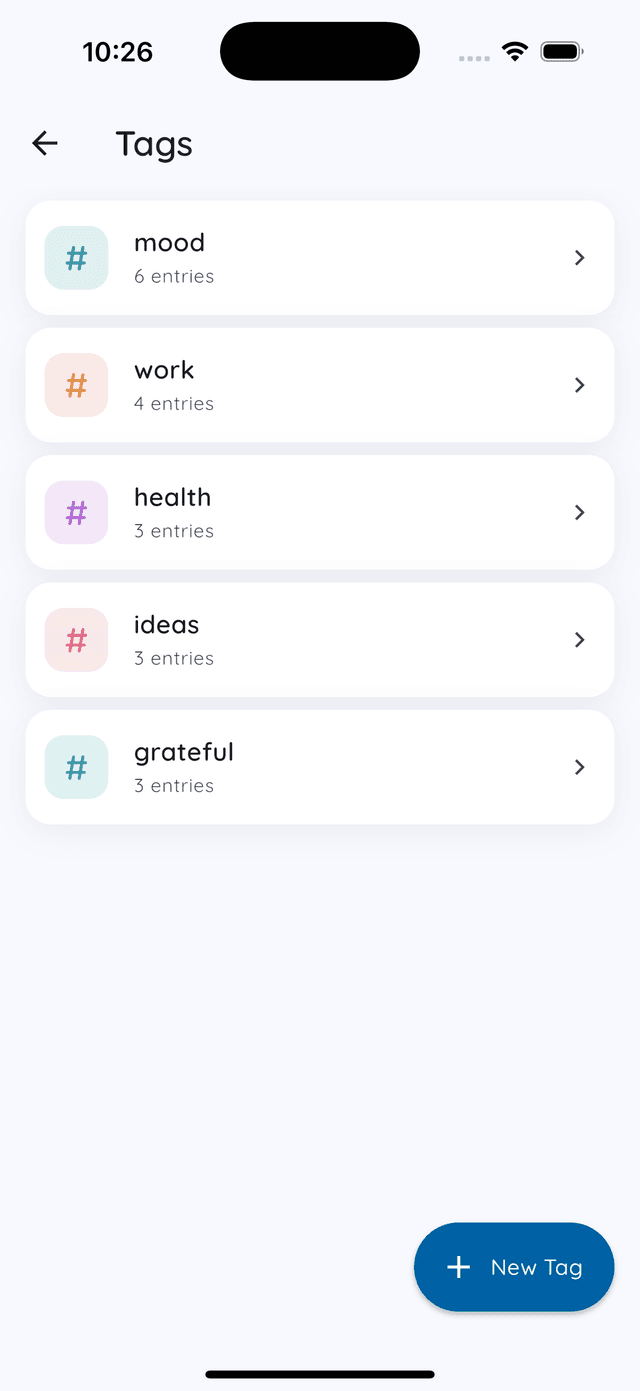
- Wellness: when an entry is mainly about how you are feeling.
- Daily life: moments, routines, small things worth remembering.
- Work notes: pairs with the Work notebook, and useful in Personal when work bleeds into your evening.
- Fitness: exercise and movement of any kind.
- Your fifth tag: something specific to your life: a creative project, a relationship, something you are learning.
Keep tags short and consistent: “Fitness” every time, not “fitness” one day and “exercise” the next. Daykept suggests existing tags as you type, which helps avoid duplicates. You can manage them all from Settings → Tags.
Using the system day to day
- Pick the notebook first. Choosing it before you write sets the context for the entry.
- Write whatever you need to write.
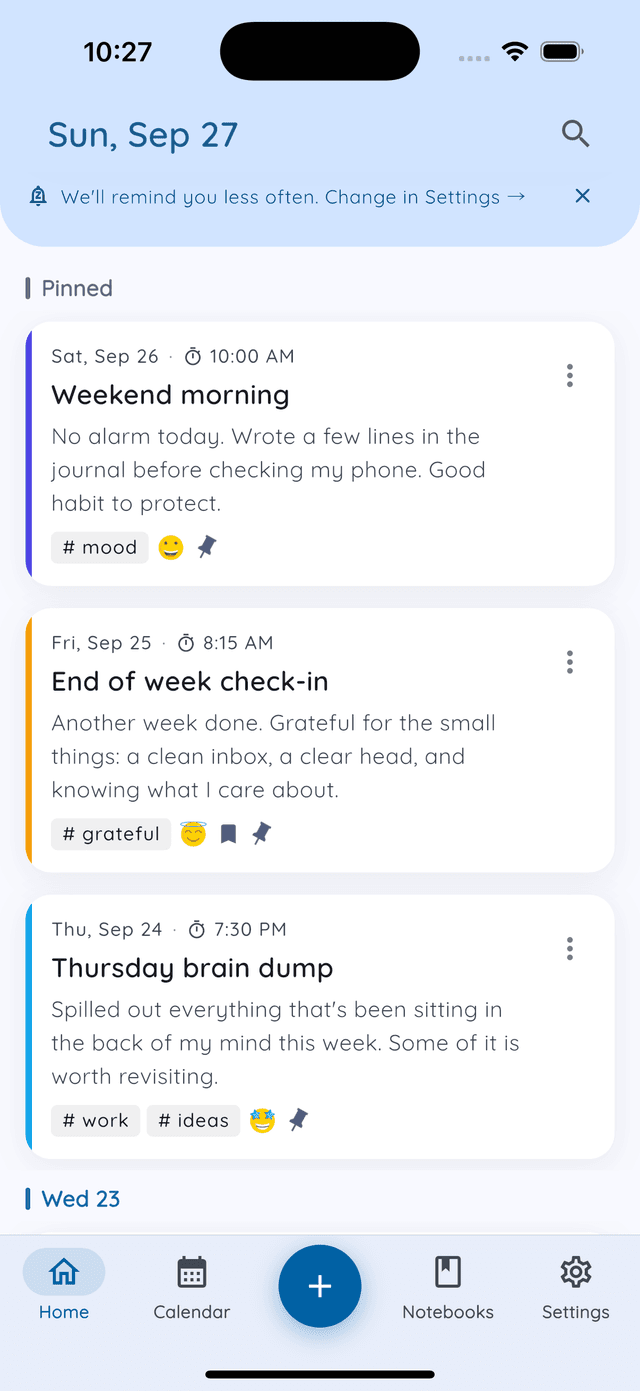
- Add one or two tags before saving. More than two usually means the entry covers too much ground.
Tags appear under each entry, so a quick scan tells you what it is about. Filed something in the wrong notebook? You can move it later. And pin what you want to see every day. Up to three entries stay at the top of Home.
You do not need to reorganize old entries. Start with your next one and let the organized archive build forward from here.
What it looks like after 30 days
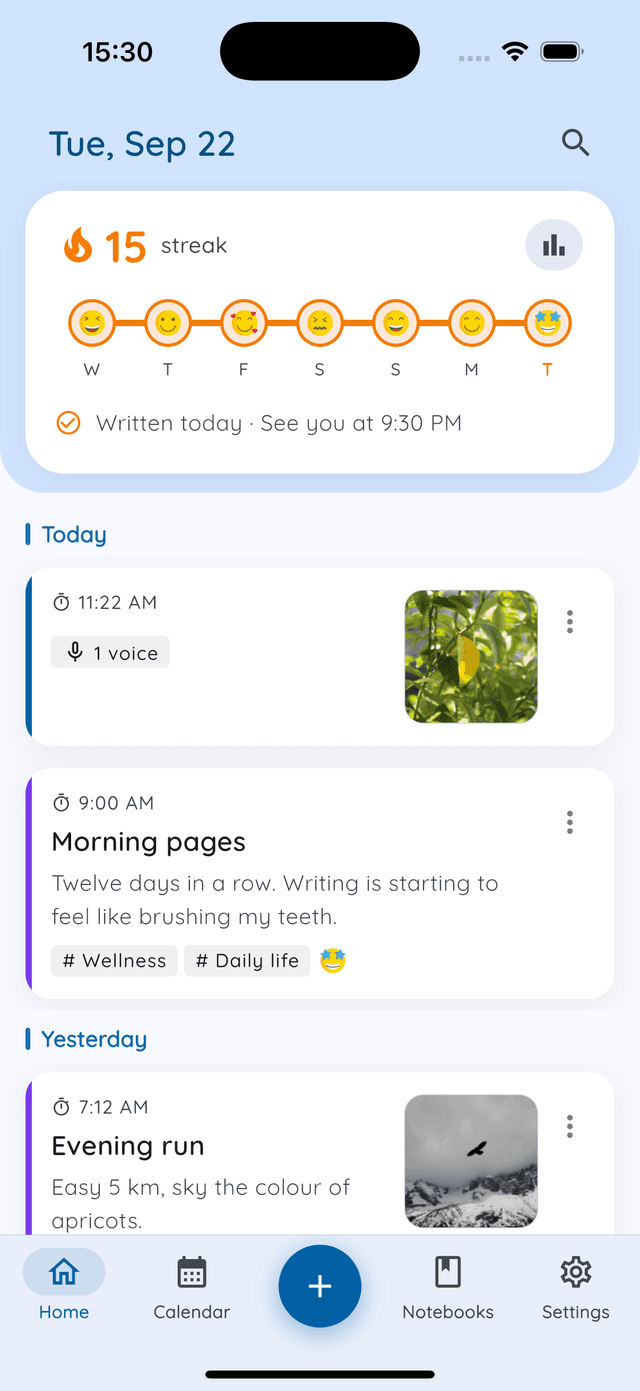
After a month, your journal has real structure. Open Work and you see only professional reflections. Filter the calendar by Wellness and see when your emotional check-ins cluster. Look at Fitness and count how many weeks you actually moved.
None of that takes extra effort at review time. The structure is already there, because you built it two seconds at a time.
Next, see how tags reveal patterns across weeks, or put your organized entries to work with a weekly review. New to Daykept? Start with how to build a daily journaling habit.
Try Daykept, a gentle journal built around how you feel
Free to download. Writing is free forever. No account needed to start.
Learn more →