Cashvelope
Master your cash flow at a single glance. Smart cash envelopes keep you from overspending, and the subscription tracker means you never get billed by surprise.
Built for how you actually spend
Cashvelope takes the classic envelope method, adds a subscription tracker and a cash flow calendar, and keeps it all fast and clear on your phone.
Master your cash flow at a single glance.
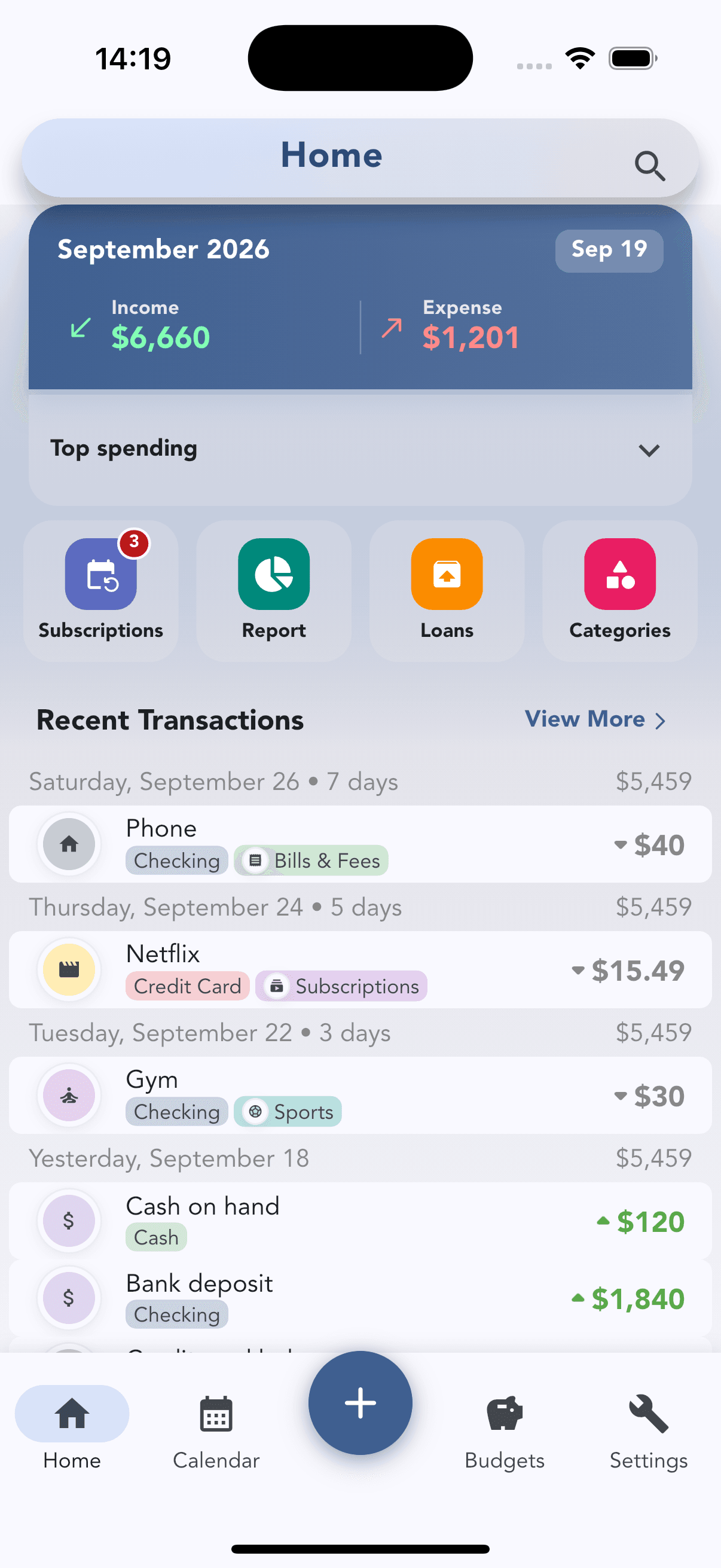
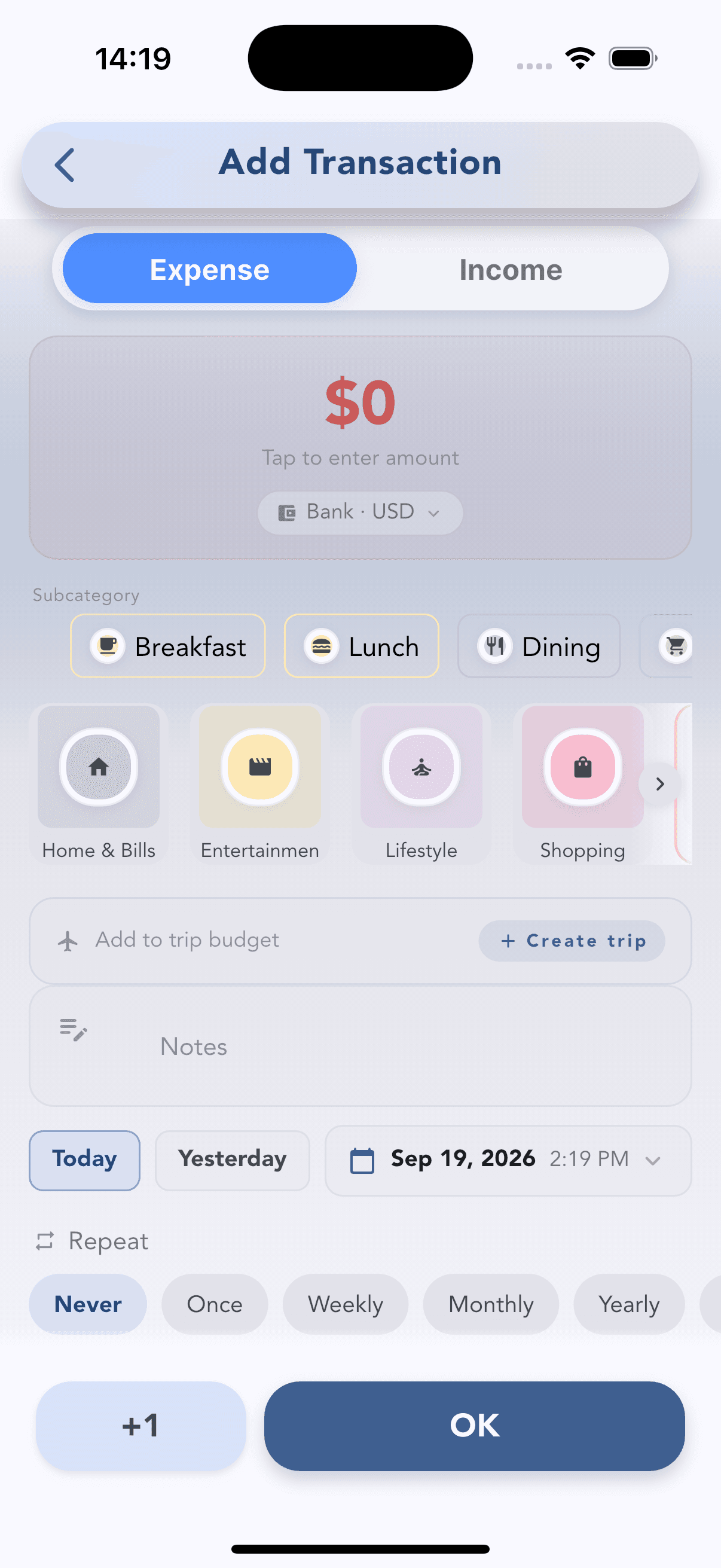
Home shows this month’s income and expenses, your top spending, shortcuts to Subscriptions, Report, Loans and Categories, and recent transactions with a running balance. Tap + to log an expense or income — amount, account, category, date and repeat, all on one screen.
Smart cash envelopes. Never overspend again.
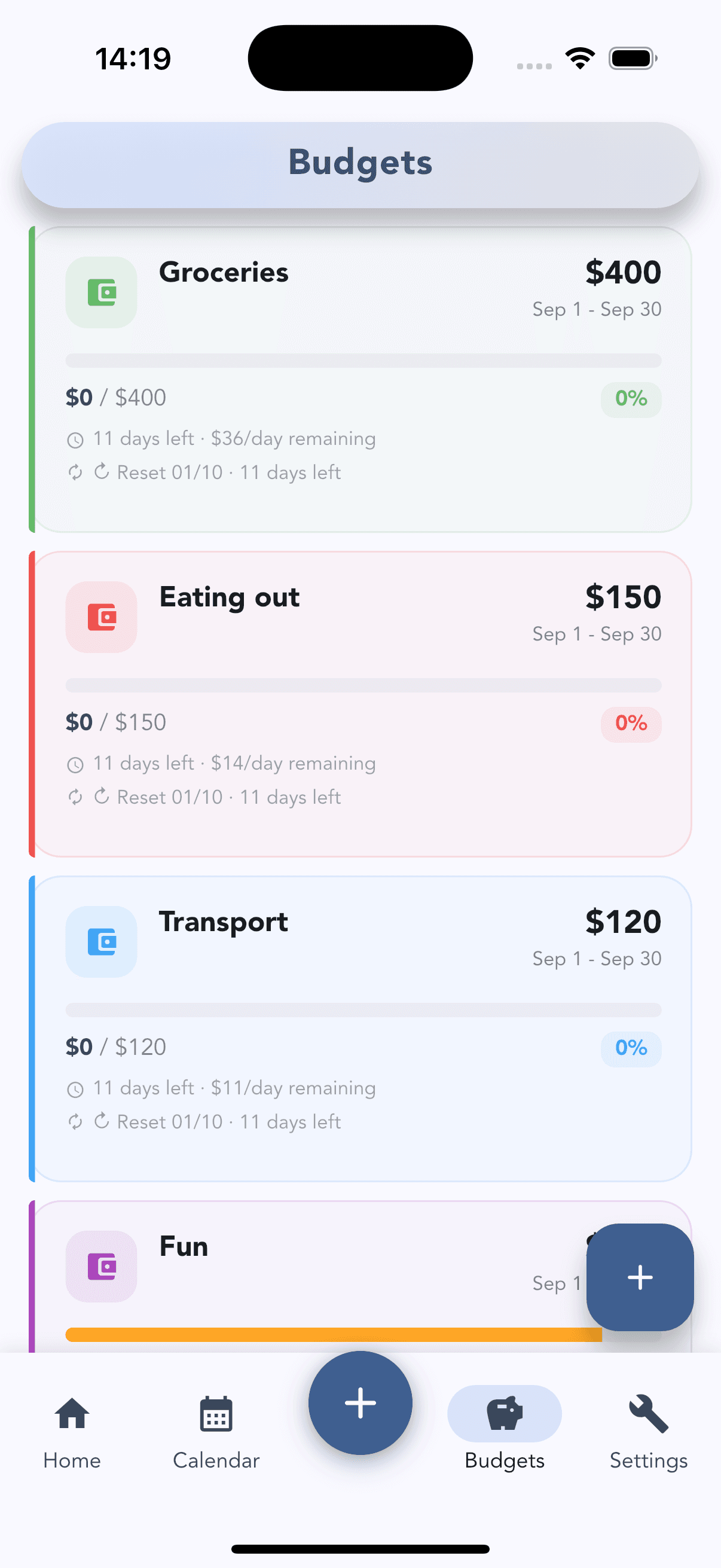
Give each category its own envelope — Groceries, Eating out, Transport, Fun — with a limit for the period. Every envelope shows what you have spent, how many days are left, how much you can still spend per day, and when it resets.
Never get billed by surprise.
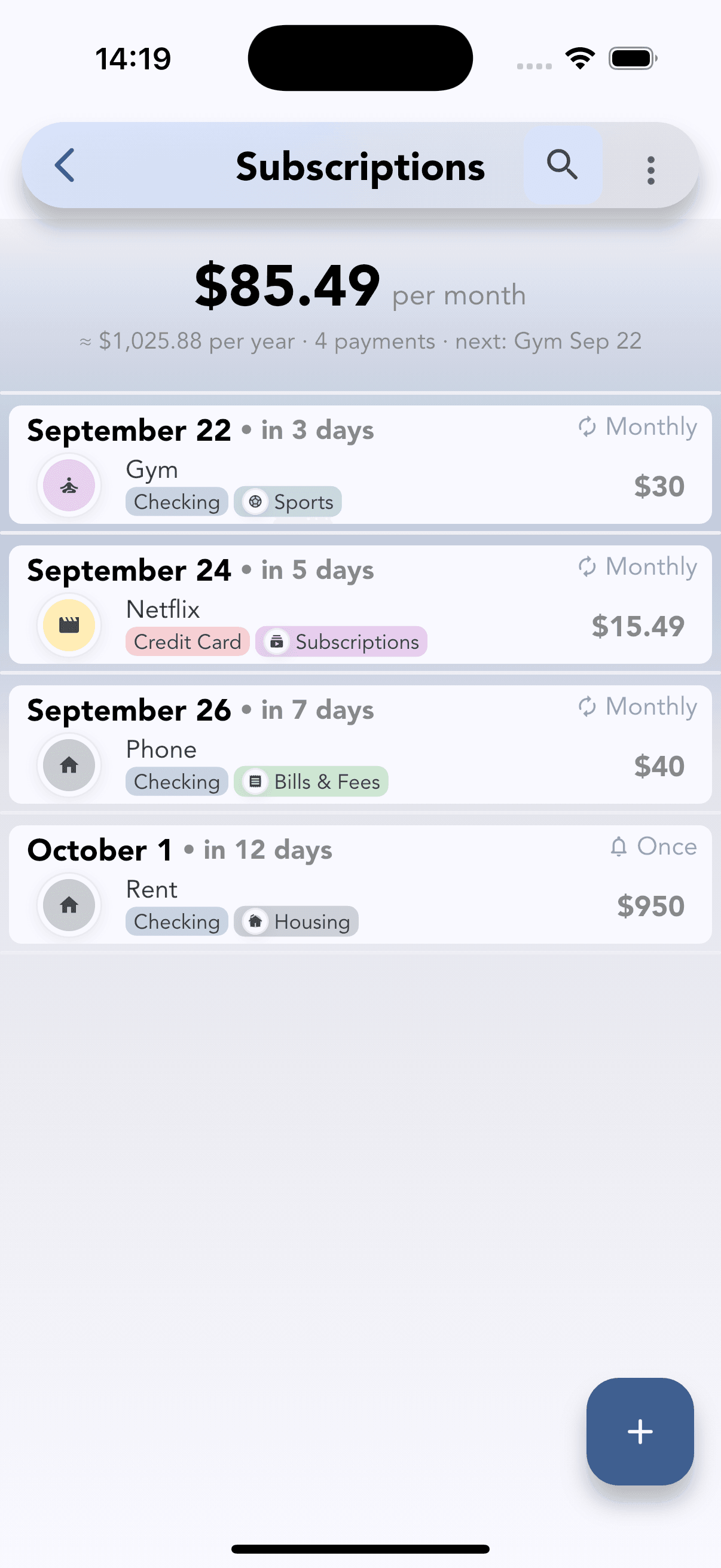
See every recurring bill in one list — Gym, Netflix, Phone, Rent — with what it costs per month and per year. Each payment shows its due date, a countdown in days and whether it repeats monthly or happens once.
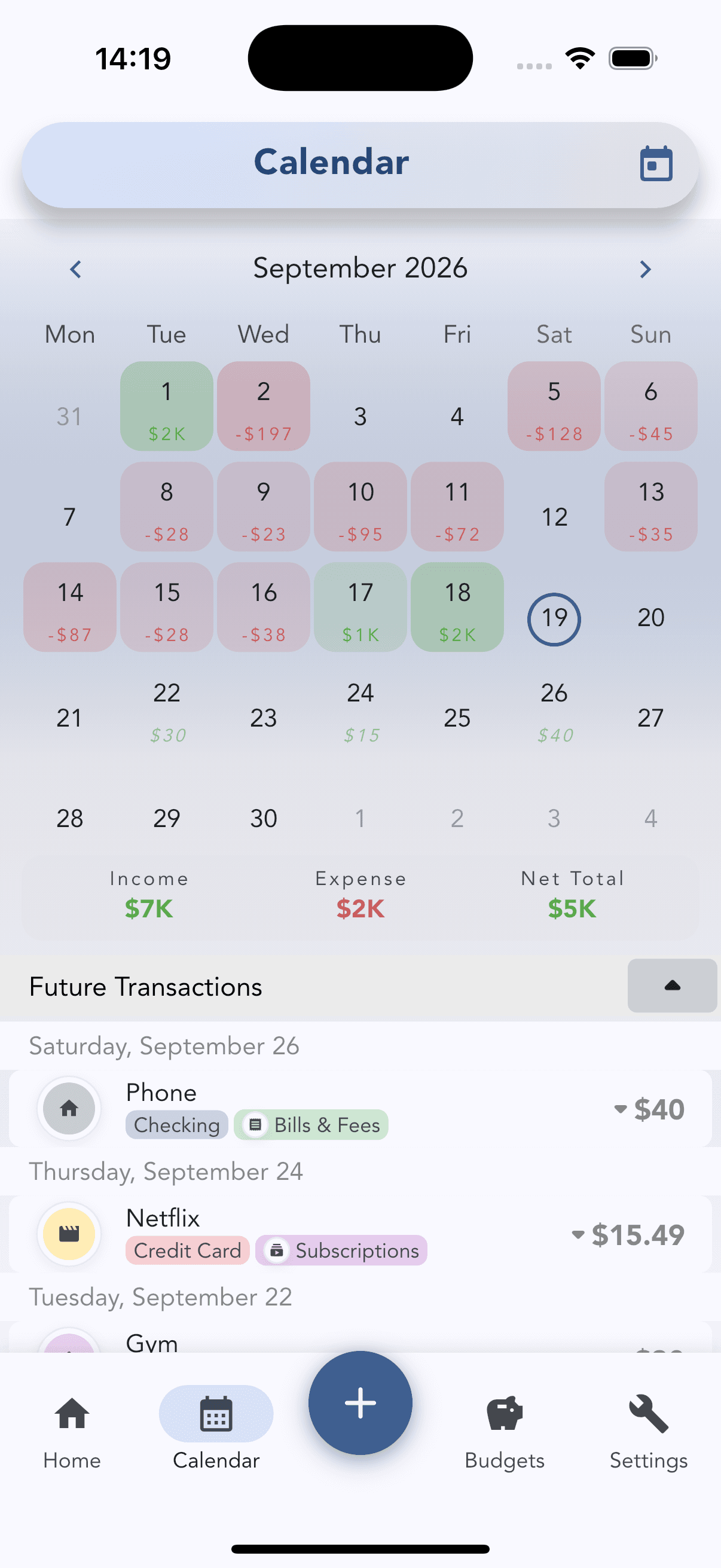
Track cash flow on a visual calendar.
Each day shows its net amount — green for money in, red for money out — so heavy days and no-spend days stand out at once. The month’s income, expenses and net total sit under the grid, followed by upcoming transactions.
Visual reports to grow your savings.
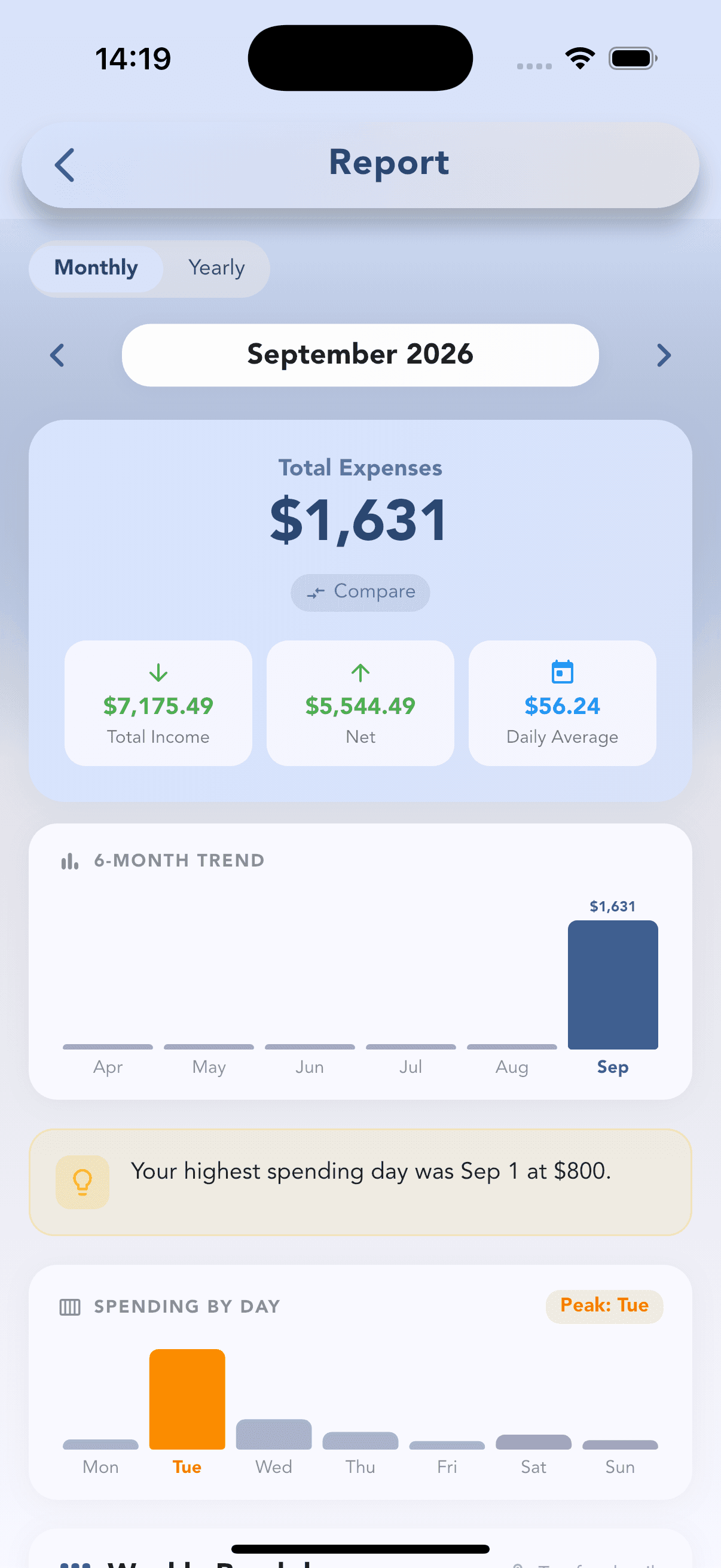
Total expenses, total income, net and daily average for the month or the year. A 6-month trend shows where you are heading, an insight calls out your highest spending day, and spending by weekday reveals your peak day.
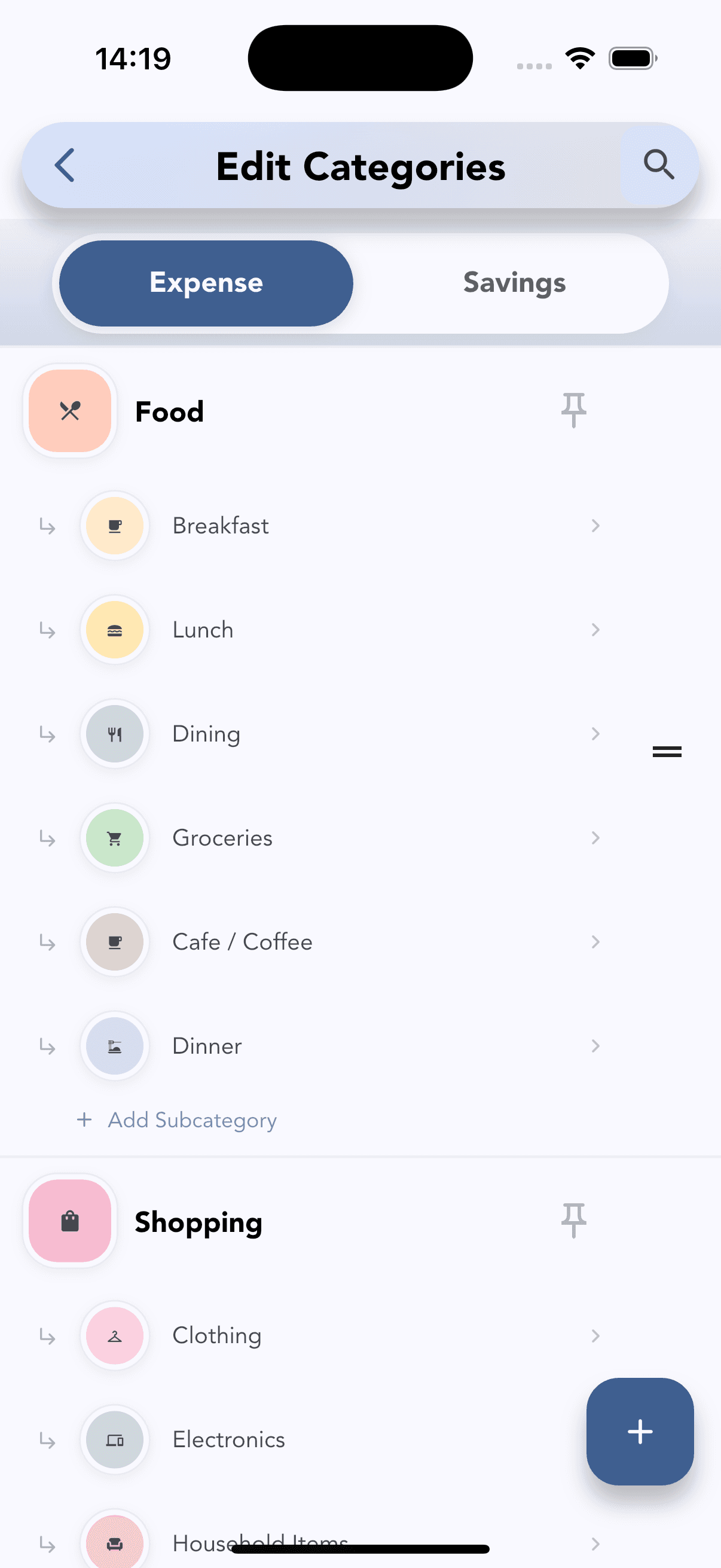
Tailored categories for your lifestyle.
Build expense and savings categories that match how you live: Food with Breakfast, Lunch, Groceries and Cafe, Shopping with Clothing and Electronics. Add subcategories, pin the ones you use most and reorder them however you like.
From the blog
All Cashvelope posts →Cashvelope home screen: your financial snapshot at a glance
Balance, spending breakdown, and recent transactions — all on one screen. Here's what each part of the Cashvelope home tells you.
4 min readHow budgets work in Cashvelope — set limits, track spending, stay in control
Budget envelopes show exactly where your money is going against what you planned. Here's how to set them up and what to do when one goes over.
3 min readHow to read your Cashvelope monthly report
Total expenses, weekly spending patterns, your highest day — the monthly report shows what the month actually looked like.
Frequently asked questions
Still have questions? Contact support
Yes, Cashvelope is free to download on both the App Store and Google Play. Core budgeting features are available at no cost.
By default, all transactions and budgets are stored locally on your device — no account required. You can optionally sign in to enable backup and sync across devices.
You create a budget for each spending category (e.g. Groceries, Dining, Transport) and set a limit for the period. Every expense you log draws from that envelope, and each one shows what's left, how many days remain and how much you can still spend per day.
Yes. The Subscriptions screen lists every recurring bill with its due date and a countdown, and totals what you pay per month and per year.
Tap the Calendar tab at the bottom of the app. Each day shows its net amount — green for income, red for spending — with the month's income, expenses and net total below. Tap any date to see its transactions.
The Report shows total expenses, total income, net and your daily average for the month or year, a 6-month trend, your highest spending day, and spending by day of the week.
Start budgeting with intention
Free to download. No account required. Your data stays on your device.