
Daykept v0.7: a writing report that shows your habits without pressure
Clean data about how you actually journal — no streaks, no notifications, no guilt.
Most journaling apps that add statistics use them as a retention mechanism: streaks, badges, nudge notifications when you have not written in a few days. The goal is to keep you opening the app, not to give you useful information about yourself.
The Report page in v0.7 is different. It gives you honest data and then gets out of the way. There are no streaks. There are no notifications tied to it. Look at it when you are curious; ignore it when you are not.
What the report shows
The report has five sections:
- Writing frequency — a heatmap grid across the full year, similar to a GitHub contribution graph. Each cell is a day; darker cells mean more entries. You can see at a glance which months were active and which were quiet.
- Total entries and words — a running count of everything you have captured since you started using the app.
- Most active hours — a breakdown of when during the day you tend to write. Most people are either morning writers or late-night writers. Seeing your own pattern makes it easier to build a consistent routine around it.
- Tag breakdown — which topics appear most in your entries, ranked by entry count. If you use tags consistently, this becomes a surprisingly honest map of what has been occupying your mind.
- Monthly trend — a simple bar chart showing how many entries you wrote each month. Useful for spotting when life got in the way and when you were most engaged.
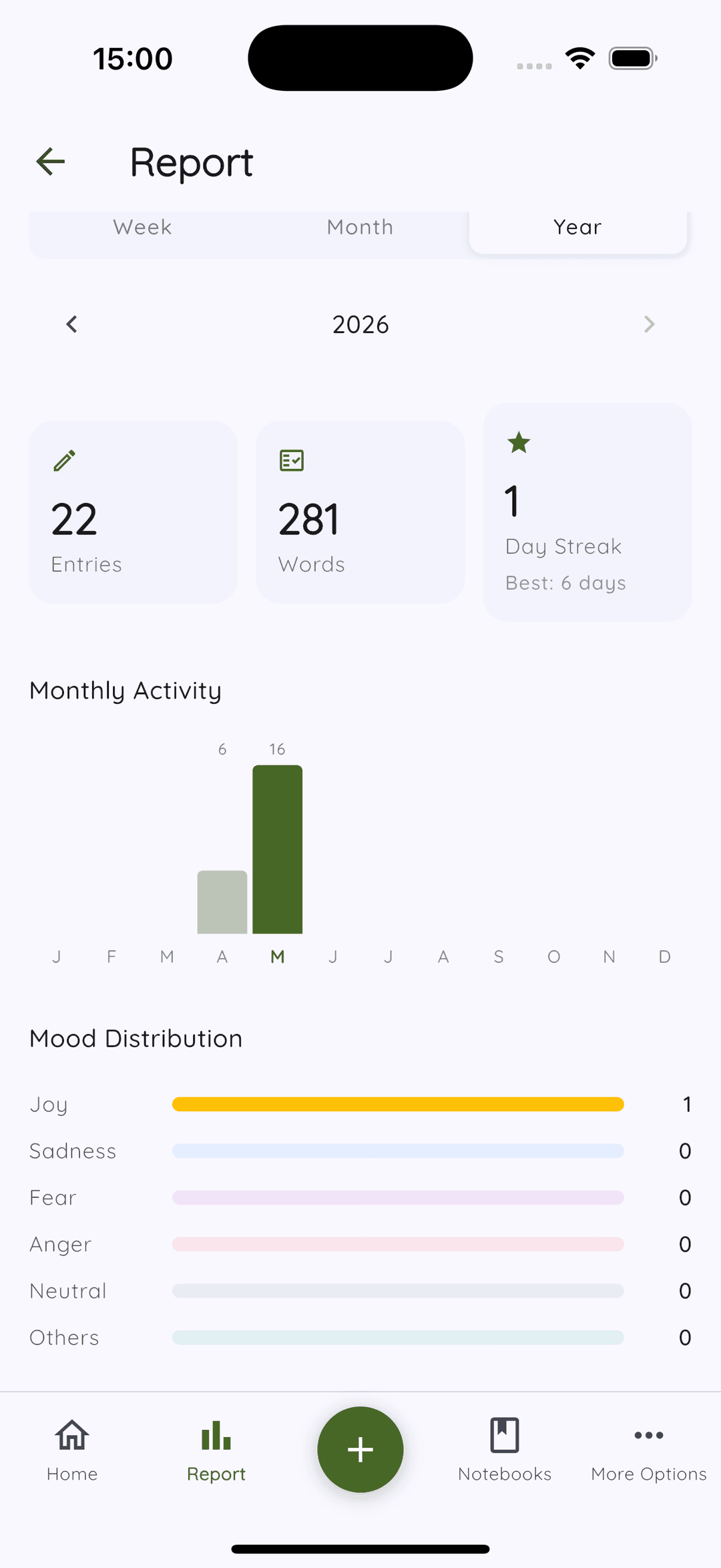
Designed without pressure
One deliberate absence in the report: there is no streak counter. Streaks are psychologically coercive — once you have a streak going, missing a day feels like a failure, which often causes people to quit entirely rather than just miss one day. A journal is not a commitment to write every single day. Some weeks are busier than others.
The report is purely for self-reflection. If you find it useful, great. If you prefer not to look at your habits in numbers, you never have to open it.
Data stays local
All report data is computed on your device from your local entries. Nothing is sent to any server. The calculations happen in the app, the results are displayed in the app, and that is where they stay.