
Daykept v0.8: Period Calendar — track your cycle inside your journal
Your cycle data lives in the same local-first, encrypted storage as your journal. No separate app, no account, no data leaving your device.
Period tracking has been the most-requested feature since launch. The ask was always the same: keep it inside Daykept, keep it private, and make it feel like it belongs rather than being bolted on. That is what v0.8 delivers.
Why a separate app is a privacy problem
Most period tracking apps require an account. Your cycle data lives on their servers. Some of them sell that data or use it for targeted advertising. Period data is among the most sensitive health information a person generates, and giving it to a third-party service is a real risk.
In Daykept, period data is stored in the same encrypted local storage as your journal entries. The data never touches Daykept's servers.
The calendar
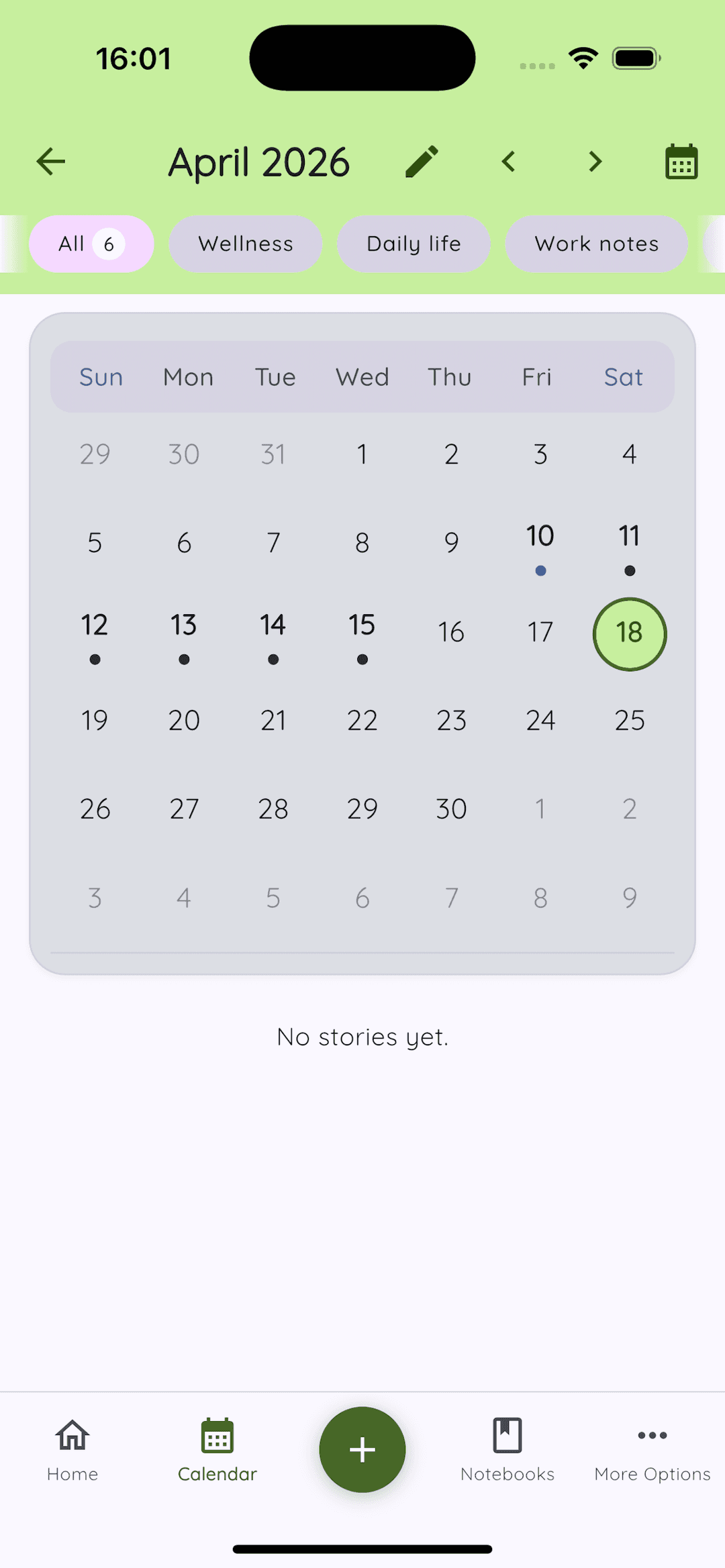
Open the Period Calendar from the home screen. Mark period days with a single tap. The calendar shows your history across months — scroll back to see previous cycles. The visual design adapts to your current dark or light theme, which sounds like a minor detail but makes the whole thing feel native rather than like a separate feature that got imported.
Journal integration
Period entries show up directly on the Daykept home screen, alongside your regular journal entries. This means your daily timeline is a complete picture of your day — you do not need to switch between apps to see what was going on.
Tapping any date in the calendar opens a quick-write prompt to create a story for that day, automatically tagged. This is useful for tracking how you feel at different points in your cycle — energy levels, mood, sleep quality — without any extra setup.
Exporting your data
If you ever need your cycle data — for a doctor's appointment, for migrating to a different tool, for any reason — you can export it. The export is a standard format you can read and use outside of Daykept.
Your data is yours. That is not a marketing line — it is the actual architecture.