
Daykept v1.0: Templates are here — never stare at a blank page again
Build reusable writing structures once, use them forever. The blank page problem is solved.
The most common reason people stop journaling is not that they run out of things to say. It is that they open the app, see a blank white screen, and close it again. Templates is the feature built to fix exactly that.
We are calling this v1.0 because Templates completes the core vision of Daykept: a journaling tool that actually helps you write, not just store text.
What templates do
A template is a reusable writing structure. You design it once — the headings, the prompts, the sections — and then every time you want to use it, you start from that structure instead of an empty page.
The most common use cases are daily check-ins (a short list of questions you answer every morning), weekly reviews (a longer structured reflection), and creative writing scaffolds (a framework that helps you get into a creative state). But the structure is open — you can build anything.
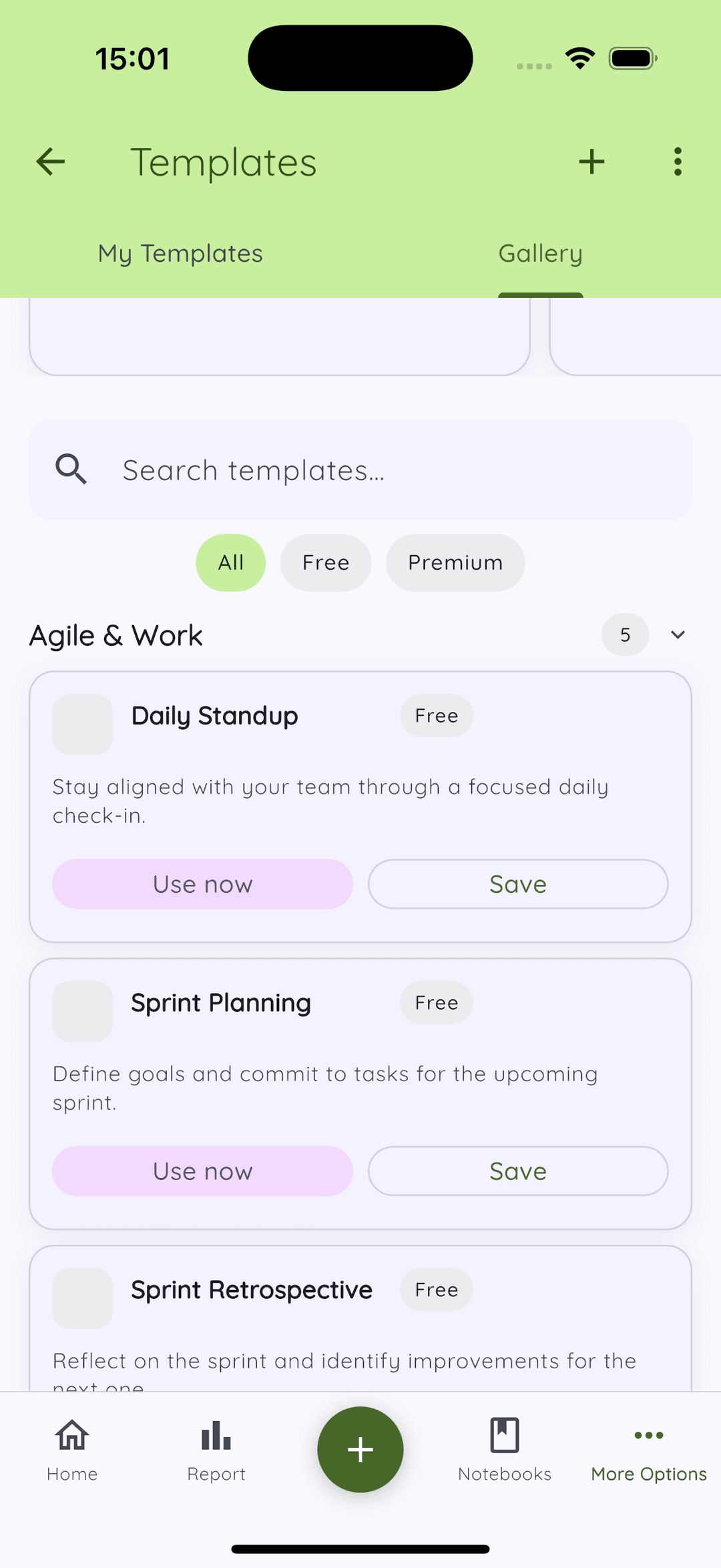
The gallery
The gallery ships with pre-built templates organized by category: Daily Reflection, Goal Tracking, Mood Check-in, Creative Writing, Gratitude, Weekly Review, and more. Each template is tagged as free or premium.
Browsing the gallery gives you a good sense of what different journaling structures look and feel like. Even if you end up building your own, starting by looking at a few existing ones usually clarifies what you actually want.
Building your own
Tap New template and you get the same full rich text editor you use for writing stories. The template is just a document — add headings, bullet lists, questions, dividers, whatever structure makes sense. Give it a name, assign it a tag, set your preferred font and background color if you want.
When you use the template to start a new story, Daykept copies the structure into a fresh entry. Your answers go into the structure. The template itself is never modified.
Staying organized
Templates support drag-and-drop reordering, so your most-used ones are always at the top. If a template is not relevant right now but you do not want to delete it, archive it — it disappears from the main view but stays available when you need it again.
Why v1.0
Daykept started as a timeline and a text editor. Tags, notebooks, voice, search, and reports added depth. But Templates is the feature that turns Daykept from a place to store thoughts into a tool that actively helps you think. That is what justified the version bump.