
Daykept v1.1: templates storefront and export your own templates
The template gallery is completely redesigned — browse it like a curated store. Plus: export your templates as a backup or share them with anyone.
When Templates launched in v1.0, the gallery was functional but basic — a flat list you had to scroll through to find anything. If you had a lot of templates, discovering new ones from the gallery felt like work. v1.1 fixes that.
A gallery that feels like a store
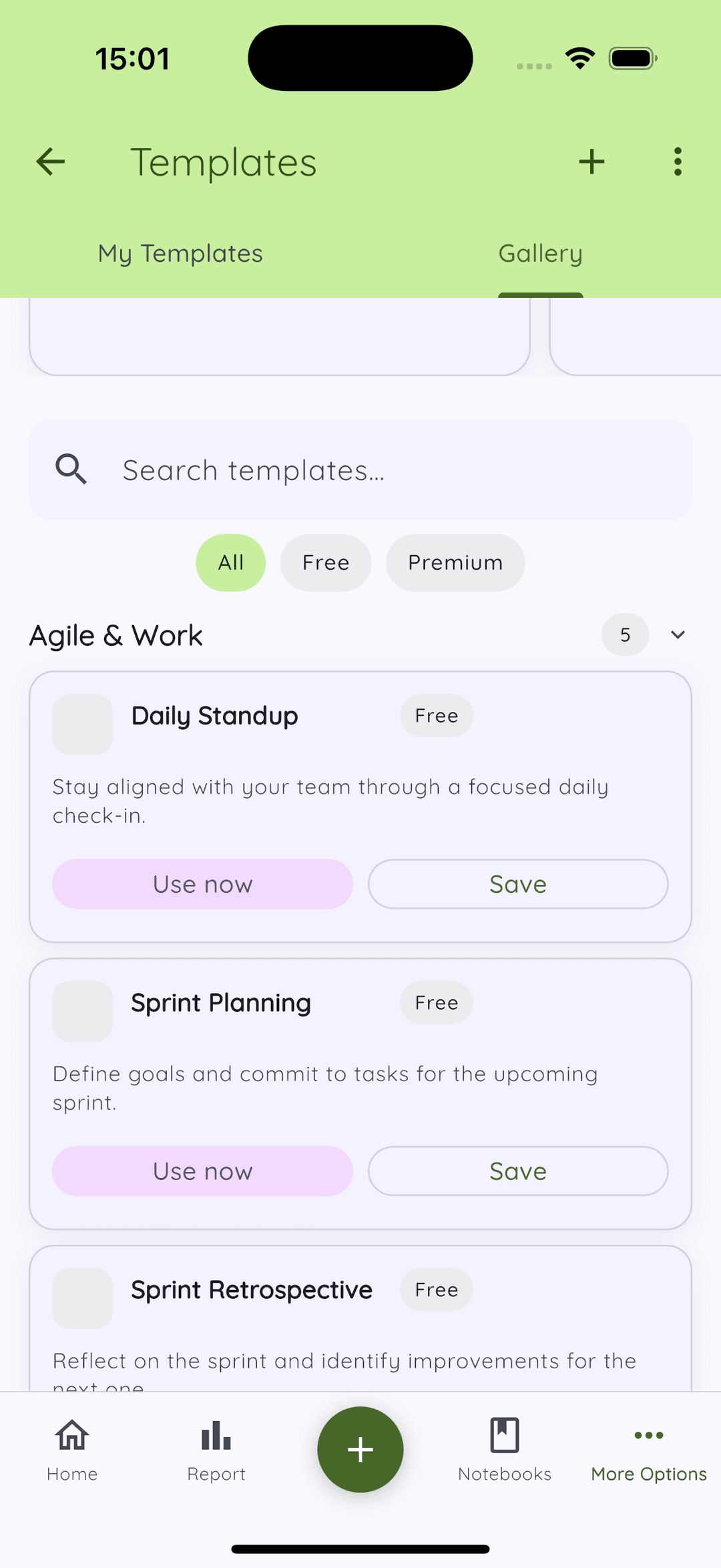
The Templates screen is now built around a proper storefront layout. When you open it, you land on a hero banner that shows at a glance how many templates are available. Below that: quick-action buttons to jump straight to free templates or premium ones, and a featured rail curated from the most useful entries in each category.
Sticky filter chips at the top — All, Free, Premium — mean you always know what you are looking at. Search is inline and fast. The whole experience is closer to browsing an App Store category than scrolling a settings list.
Export and import your own templates
This is the other big addition in v1.1: you can now export your custom templates as a JSON file and import them anywhere.
There are two use cases this covers well. First, device migration — if you get a new phone, you no longer have to recreate your templates from scratch. Export once, import on the new device, done. Second, sharing — if you have a template structure that works well (a weekly review format, a daily planning template, a creative writing prompt system), you can share the file with friends or community members who use Daykept.
When importing, you get two options: Keep newer (the safe default — keeps whichever version of a template is more recent) and Force replace all (overwrites everything, useful when you want a clean restore from a known backup).
Usage tracking for better recommendations
In the background, the app now quietly records which gallery templates you actually use. This data stays on your device — it is used only to make the Featured section of the gallery more relevant to you over time. If you write a lot of reflective entries, you will start seeing more reflection-oriented templates surfaced. If you journal about goals, goal-tracking structures come up more.
No data leaves the device. The tracking is local and its sole purpose is relevance.
Legacy template migration
If you had templates created before v1.0, they are automatically normalized to the new format the first time you open the Templates screen after updating. Nothing to do on your end — no text is lost, no formatting breaks. It happens silently in the background.
What's next
Templates are now genuinely fun to browse. The next focus is on the writing experience itself — specifically around how templates interact with your existing story flow and how you can build more complex, multi-section structures without it feeling like a form. More on that in a future release.