
How to log an expense in Cashvelope in about ten seconds
Tap +, type the amount, pick a category, save. Plus income, transfers between accounts, repeats, trips and receipts, all on one screen.
Budget apps usually fail for one reason: logging feels like work. You put it off, then you're rebuilding five days of spending from memory, the numbers get fuzzy and you stop trusting them.
Cashvelope is built so that logging takes about ten seconds, right after you pay. Here's the whole screen.
Open the new transaction screen
Tap the + button in the middle of the bottom bar. It works from every tab and opens New transaction with Expense selected.
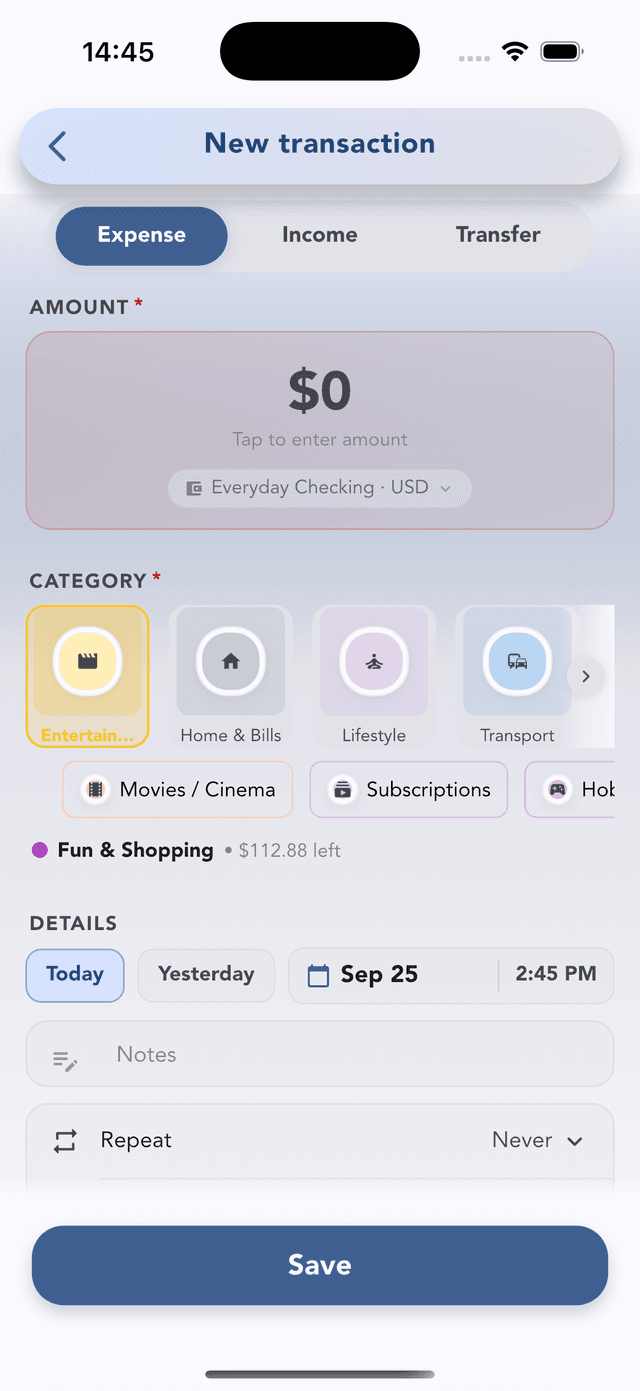
The two things you need: amount and category
- Amount. Tap the amount box and type. The chip under it shows which account pays. Tap it to switch between checking, cash, a credit card and so on.
- Category. Cashvelope puts the category you usually pick at this time of day and your recent ones first, so lunch at noon is usually one tap. Pick a subcategory from the chips below if you use them.
If the category belongs to a budget, you'll see what's left in it (for example Fun & Shopping · $112.88 left) before you save. That's the moment it's most useful.
Tap Save. That's a complete entry.
Optional details
Everything under Details is optional. Add it only when it will matter later.
- Date and time. Defaults to now. Tap Yesterday, or the date to pick any day. You can also pick a future date, and the entry then shows under Future transactions on the Calendar until the day arrives.
- Notes. A few words like "team lunch" make entries easy to find with search.
- Repeat. Set how often it repeats for rent, bills and subscriptions, and whether Cashvelope records it automatically on the due date or waits for you to confirm. Recurring entries appear on the Subscriptions page with reminders.
- Trip. Add the expense to a trip budget so a holiday doesn't eat your monthly food money.
- Receipt. Attach up to three photos per transaction.
Income
Switch to the Income tab for salary, freelance payments or refunds. Same screen, same fields. It just counts as money in, so your monthly net and reports stay right.
Transfers between your accounts
The Transfer tab moves money between your own accounts: into savings or an investment account, paying off a credit card, or a payment towards a loan.
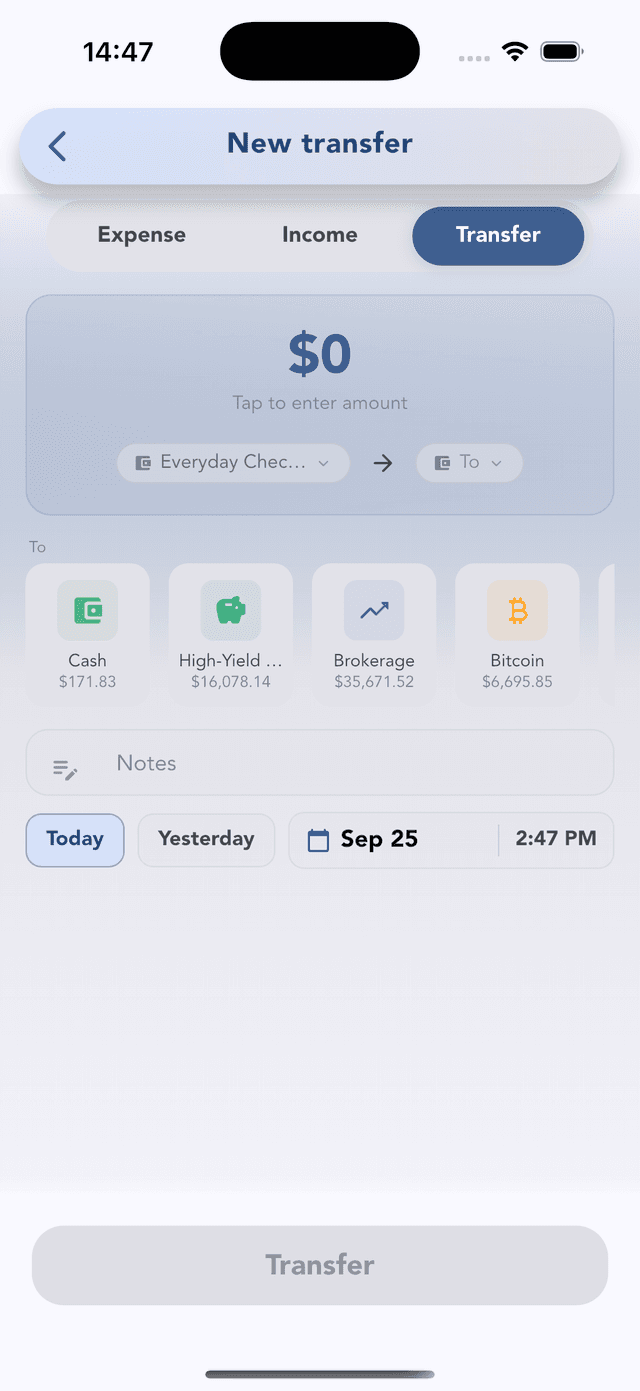
A transfer isn't spending. It changes where your money sits, not how much you have, so both account balances update and your budgets aren't touched.
Even faster ways in
- Home screen widget (iOS and Android): a Quick Add widget opens a new entry straight from your home screen.
- CSV import: coming from another app, or catching up from a bank statement? Import a spreadsheet with column mapping. There's a preset for Mint exports, and duplicates are skipped.
The habit that makes everything else work
Budgets, reports and the calendar are only as good as the entries behind them. Log at the counter, not at night, and let recurring bills record themselves. Then you only type the flexible spending.
Next: set a limit on the categories that leak with budgets, or read why budgeting without linking your bank works for some people better than sync.