
Mood and your menstrual cycle: how to journal the pattern
Does your mood follow your cycle? Mark your period next to your moods, and after two cycles see which feelings show up before and during your period.
Some weeks everything feels heavier, and you can't say why. Then your period starts, and it clicks. Many people notice their mood shifting around their cycle — but noticing it once is different from knowing your own pattern.
A journal is a good place to find it, because it already holds the other half of the picture: how you felt, day by day. You only need to put the two side by side.
Why a mood journal is the right tool
A period tracker knows where you are in your cycle. A journal knows how you felt. The pattern lives where the two meet — so it helps when both sit on the same calendar.
If you already pick a mood when you write, you're most of the way there. What's missing is knowing where each of those days sits in your cycle.
Step 1: Show your cycle on the calendar
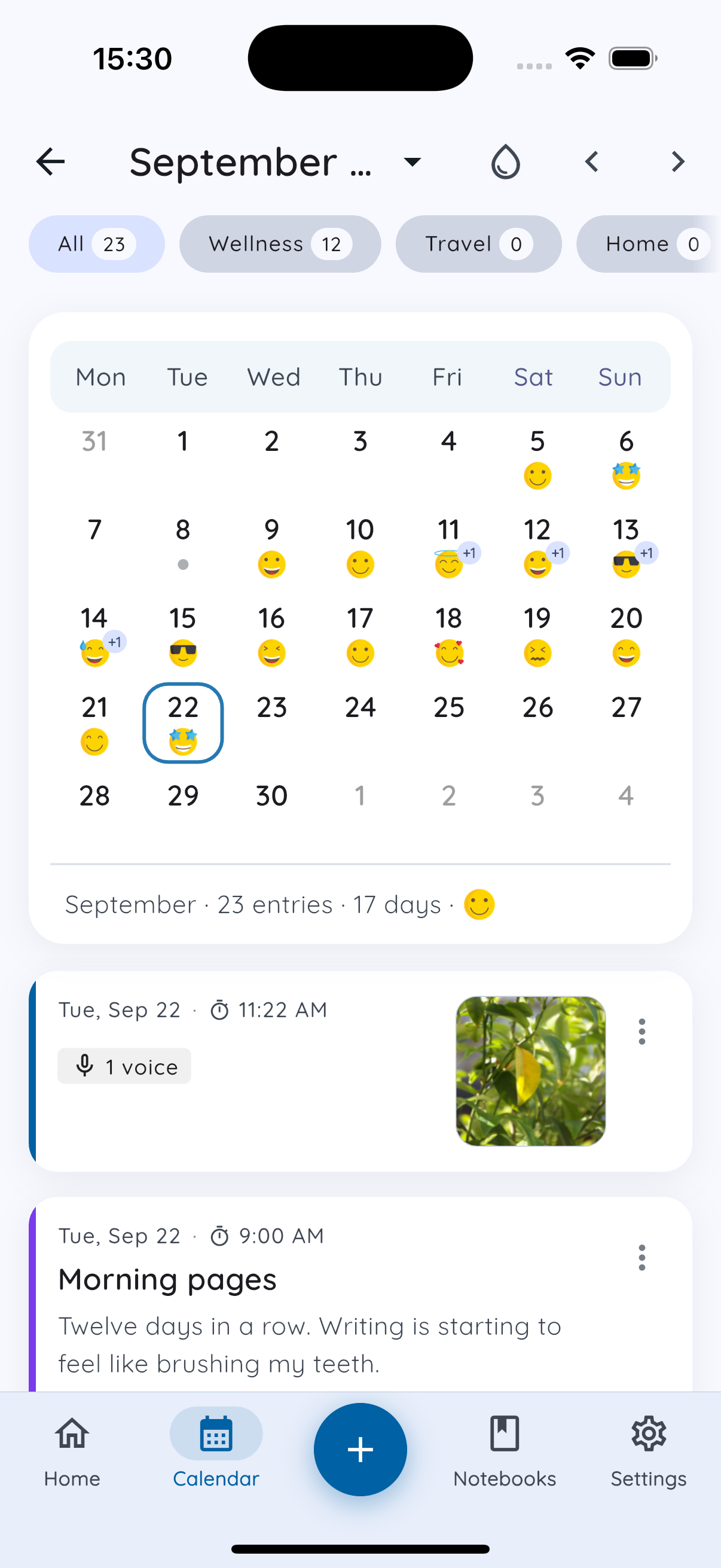
In Daykept, cycle tracking is off until you turn it on. Open the Calendar and tap the drop icon at the top — or go to Settings → Preferences → Show cycle on calendar.
Your period days then appear on the same calendar as your moods, so one glance shows both.
Step 2: Mark your period in one tap
When your period starts, tap Start period today below the calendar. Daykept fills in about five days for you. When it's over, tap End — or tap any day to fix it.
Marking your period is free, and takes a couple of seconds a month. If you forget, you can mark it later on the right dates.
Step 3: Keep picking a mood
Every Daykept entry starts with how you feel — 50 moods, grouped so the right one is easy to find. That's the data the pattern comes from, so the only habit that matters here is the one you already have: pick a mood when you write.
You don't need to write every day. A few entries a week, spread across the month, are enough for a pattern to show.
Step 4: See your mood across your cycle
Once you've marked two full cycles, Report shows a new section: Mood across your cycle. It splits your entries into three phases, based only on the days you marked:
- During period — the days you marked.
- Week before — the seven days before your next period starts.
- Other days — everything else.
You see how your moods are spread in each phase, with a line on how many cycles it's based on and their average length. When a feeling stands out, Report says so plainly — for example, "Sadness shows up more in the week before your period than on other days."
Mood across your cycle is part of Premium — free for everyone during early access.
What Daykept doesn't do
Daykept doesn't predict ovulation or fertile days, and it isn't a contraception or medical tool. The phases come only from the days you mark. It describes what already happened in your own journal — it doesn't guess what comes next.
If your mood changes around your period feel severe, or get in the way of daily life, that's worth bringing to a doctor. Your journal can help there too: a few months of moods next to your cycle is a clear, honest record to show.
You stay in control
Cycle tracking is optional. Turn it off any time and your cycle disappears from every screen. The days you've marked are kept with your journal, and they sync and back up just like your entries.
Start this month
- Turn on Show cycle on calendar.
- Tap Start period today when your next period starts.
- Keep picking a mood when you write.
Two cycles from now, you'll have a picture of your own pattern — not an average from someone else's. Want more ways to read your journal? See how to spot patterns with tags and what your Report stats mean.
Try Daykept — a gentle journal built around how you feel
Free to download. Writing is free forever. No account needed to start.
Learn more →